
Flashzilla Pro vs Older Tuning Hardware: 2026 Guide
Table of Contents
- What Changed: FlashZilla Pro vs Older Tuning Hardware
- FlashZilla Pro Features That Matter on Real Cars
- FlashZilla Pro vs V3: Which Hardware Should You Run?
- FlashZilla V3 Compatibility: Vehicles, ECUs, and TCUs
- The TuneZilla Flashing Process From Purchase to Reflash
- Migration and Recovery: Moving From Legacy Hardware
- What to Ignore When Comparing Tuning Hardware
- Conclusion: Matching Hardware to Your Tuning Plans
- Frequently Asked Questions
Last Updated: October 5, 2026
What Changed: FlashZilla Pro vs Older Tuning Hardware
FlashZilla Pro vs older tuning hardware comes down to one question: does the new device flash your car faster, more safely, and with fewer dead ends than the box you already own? At H&A Midwest, we bundle FlashZilla Pro or V3 hardware with every Tunezilla tune we sell, so we see how both generations behave on real VW, Audi, BMW, and Mercedes vehicles.
The differences are less dramatic than the marketing suggests. Both devices write tune files over the OBD port and pull from the same Tunezilla tune library. What changes is the workflow: connection stability, file transfer speed, app support, and how gracefully each handles a failed write.
If you already own older hardware and it works, you are not missing horsepower, just convenience and, on some newer vehicles, compatibility.
FlashZilla Pro Features That Matter on Real Cars
The features worth paying for are the boring ones: a stable connection, fast file transfer, and a clear error message when something fails. The hardware's job is to deliver a tune file reliably and let you flash back to stock without drama.
What actually changes day to day:
- Connection reliability. A dropped link mid-flash is the worst outcome in DIY tuning. Better hardware holds the session together.
- File transfer speed. Larger tune files and data logs move faster, shortening each session.
- App and portal support. Newer hardware pairs with the current mobile app and online portal, simplifying tune selection and updates.
These are support features. The tune determines your horsepower and torque; the hardware just decides how painful the delivery is.
FlashZilla Pro vs V3: Which Hardware Should You Run?
Pick FlashZilla Pro if you drive a newer vehicle, flash regularly, or want the current app and portal experience.
The decision is about your vehicle and habits, not which box is newer.
| Situation | Recommended Hardware | Why |
|---|---|---|
| Newer ECU or TCU platform | FlashZilla Pro | Broader compatibility and current app support |
| Frequent reflashing and revisions | FlashZilla Pro | Faster file transfer, steadier connection |
| One-time stage tune, older car | V3 | Already proven on your platform |
| Existing V3 owner, no issues | Keep V3 | No functional gain unless compatibility breaks |
If you are unsure, tell us your model year, engine code, and whether the car is DSG or manual. That answers the compatibility question faster than any spec sheet.
FlashZilla V3 Compatibility: Vehicles, ECUs, and TCUs
Most comparison articles tell you V3 'supports many platforms' and leave it there. That is useless when you are standing at checkout with a 2016 GTI and a DSG gearbox. Here is the framework we use at H&A Midwest when a customer asks whether their existing V3 will reach their ECU and TCU, and when it will not.
The two support questions that decide everything
V3 compatibility is not a single yes/no. It is two separate checks that can differ on the same car:
- ECU reach. Can the device establish a session with your engine control unit and write a tune file to it? If the ECU is not reachable, nothing else matters.
- TCU reach. If your car has a DSG or automatic transmission and your tune includes transmission changes, the device must also reach the transmission control unit. A device can support the ECU while failing on the TCU, the scenario that catches owners off guard.
A common pattern: an older V3 flashes the engine fine but cannot touch the DSG on a newer-generation gearbox. The engine tune runs, the transmission tune silently does not apply, and the owner assumes the tune 'didn't do much.'
How to verify support before you buy or flash
You do not need a spec sheet. You need four pieces of information:
- Model year, platform generations change mid-cycle, so year matters more than model name.
- Engine code, the same displacement can ship with different ECU families across trims and markets.
- Transmission type, DSG versus manual versus traditional automatic changes whether TCU support is even relevant.
Give those four data points to a tuner and the answer comes back in minutes. Guess and you are gambling on a flash that may fail partway through.
Where V3 typically holds up and where Pro takes over
Rather than a model-by-model table that goes stale every year, here is the pattern across the VW, Audi, BMW, and Mercedes platforms we work with:
| Scenario | V3 outlook | Pro outlook |
|---|---|---|
| Older platform, one-time stage tune | Usually fine if ECU and TCU are both reachable | Works, but no functional gain |
| Older platform, frequent reflashing | Works, slower file handling | Faster, steadier sessions |
| Newer ECU generation | Hit or miss, verify before buying | Broader coverage |
| Newer DSG or automatic TCU | Often the limiting factor | Typically the reason owners upgrade |
| Mixed fleet or multiple cars | One device per platform, more friction | Cleaner multi-vehicle workflow |
The pattern is consistent: V3's limits show up first on the newest transmission control units, not the newest engines. 'My engine is supported' is not the same as 'my car is supported.'
The compatibility check we run before every sale
At H&A Midwest, we confirm ECU and TCU support against your model year, engine code, and transmission before hardware ships. If V3 covers your car, we will tell you and save you the upgrade. If it does not, we will tell you that too, before you are mid-flash with a car that will not start.
If you are unsure which side of the line your car falls on, send us the four data points above and we will confirm before you spend anything.
The TuneZilla Flashing Process From Purchase to Reflash
The TuneZilla flashing process is straightforward: buy your tune, receive the hardware, connect the dongle to the OBD port, download your tune file through the app or portal, and flash.
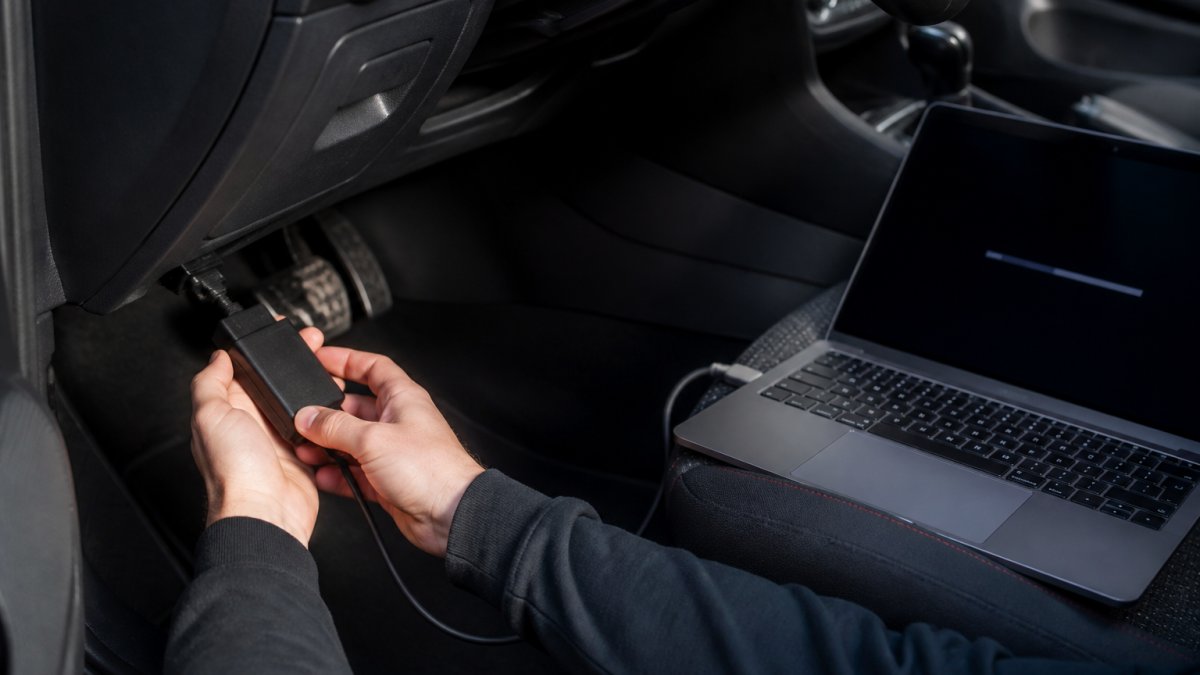
Here is the workflow step by step:
- Purchase your tune for your specific vehicle and setup.
- Receive your hardware, either FlashZilla Pro or V3, bundled with the tune.
- Connect the dongle to the vehicle's OBD port with the ignition in the correct position.
- Open the app or portal and select your tune from the library.
- Download the tune file to the device.
- Flash the ECU, and the TCU too if your tune includes transmission changes.
- Verify the flash completed, then start the car and check for warning lights.
- Log and refine if you want a tune revision later.
A common mistake is flashing with a weak battery or a laptop that sleeps mid-session. Plug in a charger and disable sleep mode. That single habit prevents most failed flashes.
Migration and Recovery: Moving From Legacy Hardware
This is the section most comparison articles skip, and the one existing owners actually need. If you already own older hardware and a stack of tune files, the upgrade question is not 'is Pro better', it is 'what happens to my files, my stock backup, and my car if something goes wrong mid-flash.'
Why old tune files often do not carry over
A tune file is not a universal document. It is matched to a specific ECU or TCU software version, and tune libraries get revised as tuners update calibrations or add support for new software revisions. Three things commonly break the match:
- Software revision drift. Your ECU may have received a dealer update since the file was created, changing the base software the tune was built against.
- Library revisions. The tuner may have superseded your old file with a corrected or improved version under the same tune name.
- Hardware format changes. Newer hardware may expect a different file format or delivery method than the one your old file was saved in.
The cleanest migration is almost always to re-download the current version of your tune through the app or portal rather than import the old file. You keep the same tune, just the current build.
The migration sequence, step by step
Do these in order. Skipping the first step is the most common and most costly mistake.
- Back up your stock file first. Before you touch anything, read and save the factory file from your ECU. This is your safety net and it must exist before any tune is written.
- Record your current setup. Note your tune name, stage, and any revisions you have applied, so you can match it in the new library.
- Confirm the tune still exists for your vehicle in the current library. If it has been renamed or superseded, identify the replacement before you flash.
- Re-download through the new hardware rather than importing the legacy file. This ensures the file matches your current ECU software revision.
- Flash and verify. Complete the write, then start the car and check for warning lights or drivability changes.
- Store the stock file in two places. On the device and on a laptop or cloud folder. One copy is not a backup.
What recovery actually looks like when a flash fails
Interrupted flashes happen for predictable reasons: a weak battery, a sleeping laptop, a loose OBD connection, or a device that loses its session mid-write. What separates hardware generations is not whether a failure can occur, it is how cleanly you get out of it.
A device with solid recovery behavior lets you:
- Retry the write without the ECU being left in an unknown state.
- Restore the stock file you backed up in step one, returning the car to a drivable condition.
- Resume or restart the session through the app or portal rather than requiring a recovery visit.
A device without that path leaves you with an immobilized car and a tow, the real-world difference spec sheets miss.
The upgrade decision for existing owners
If your current hardware connects cleanly, flashes without errors, and reaches both your ECU and TCU, migration is not urgent, you are not missing power.
If you are mid-migration and unsure whether your old file is safe to reuse, send us your tune name and current ECU software revision and we will confirm whether a re-download is needed before you flash.
What to Ignore When Comparing Tuning Hardware
Ignore peak horsepower claims attached to hardware. The device does not create power; the tune does.
Also ignore anyone selling you hardware you do not need. If your current device connects cleanly and flashes without errors, a newer box adds convenience, not performance.
What does matter:
- Compatibility with your specific ECU and TCU
- Support when something goes wrong
- Total cost of ownership, including whether hardware is bundled with your tune or sold separately
On cost, pricing depends on your vehicle and tune package, so check our site for current details rather than forum guesses.
Conclusion: Matching Hardware to Your Tuning Plans
The right hardware follows your plan. If you flash once and forget it on an older platform, V3 is enough.
At H&A Midwest, every Tunezilla tune ships with FlashZilla Pro or V3 hardware included, so you get a complete, vehicle-specific package instead of piecing it together. We specialize in VW, Audi, BMW, and Mercedes tuning and confirm compatibility before you buy.
Get started with H&A Midwest and match the right hardware to your build.
Frequently Asked Questions
What is the difference between FlashZilla Pro and older TuneZilla hardware?
The FlashZilla Pro is the current-generation flashing tool, while older hardware refers to the previous FlashZilla V3 and its predecessors. The Pro adds faster file transfer and broader ECU and TCU coverage for newer platforms. Older units still flash supported vehicles, but they may not handle the newest DSG and TCU protocols. Check your exact ECU and TCU against the current supported-vehicles list before assuming either unit will work.
Can older FlashZilla hardware still flash a vehicle?
Yes, older FlashZilla hardware can still flash vehicles it was originally built to support, including stock file backups and tune revisions. The limits show up on newer ECU and TCU platforms that need updated protocols. If your car is more than a few model years old and already listed as supported, the older unit may be fine. For newer DSG or TCU tuning, the FlashZilla Pro is the safer choice.
Can I use FlashZilla Pro to flash my vehicle back to stock?
Yes. The FlashZilla Pro stores your original stock file during the first flash, and you can write that file back to the ECU at any time. This matters for warranty visits, emissions checks, or selling the car. Keep the original stock file backed up in the portal app as well, so a lost or damaged device does not leave you without a way to return the car to factory calibration.
Does TuneZilla tuning void my vehicle warranty?
In the US, the Magnuson-Moss Warranty Act limits how a dealer can deny warranty coverage solely because of aftermarket parts, but a dealer can still refuse a claim if they can show the tune caused the failure. Flashing back to stock before a dealer visit avoids leaving a tune file on the ECU. Ask H&A Midwest about your specific model before assuming a clean history.